Acer Nitro 16 (2024): Unleash Your Game with Power and Affordability

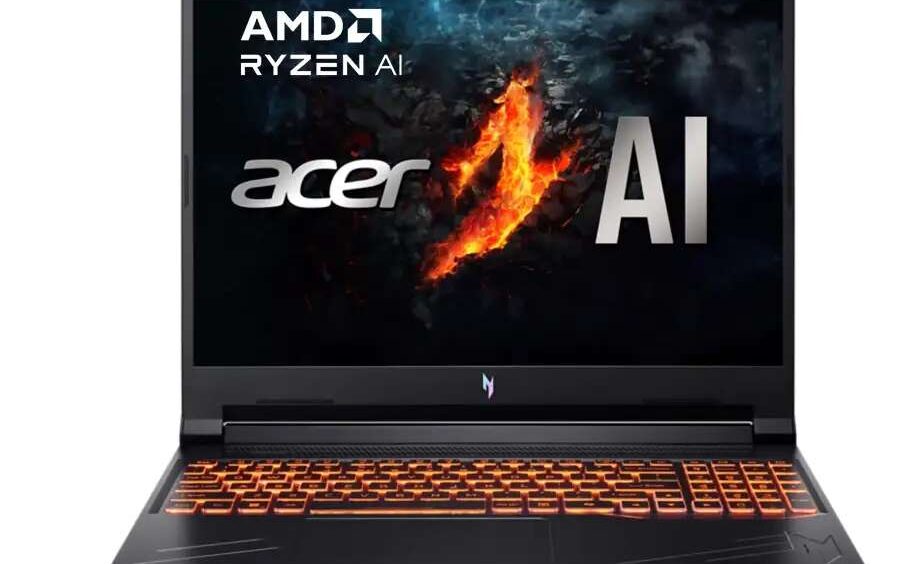
The Acer Nitro 16 (2024) emerges as a formidable contender in the competitive landscape of gaming laptops, offering a compelling blend of high-performance components and an attractive price point. For gamers and tech enthusiasts seeking a machine that can handle the latest titles without breaking the bank, this laptop, equipped with the AMD Ryzen 7 8845HS processor and NVIDIA GeForce RTX 4060 GPU, warrants a closer look. This overview delves into the intricate details of the Nitro 16 (2024), exploring its processing prowess, graphical capabilities, design nuances, display features, connectivity options, software suite, battery performance, and how it fares against its rivals.
Under the Hood: Exploring the AMD Ryzen 7 8845HS Processor
At the heart of the Acer Nitro 16 (2024) lies the AMD Ryzen 7 8845HS processor, a central processing unit designed to deliver a smooth and responsive experience for both demanding games and everyday multitasking. This processor features an 8-core, 16-thread configuration, operating with a base clock speed of 3.8 GHz and capable of boosting up to an impressive 5.1 GHz. The inclusion of a substantial 16 MB of L3 cache further contributes to its ability to handle complex workloads efficiently. Built on the Zen 4 architecture, codenamed Hawk Point, this CPU benefits from advancements in processing technology, allowing for enhanced performance and power efficiency. While the primary focus for gaming on this laptop will undoubtedly be the dedicated NVIDIA GPU, the integrated AMD Radeon 780M graphics also present within the 8845HS offer a capable solution for less intensive tasks or when the discrete GPU is not actively engaged. The Thermal Design Power (TDP) of the Ryzen 7 8845HS ranges between 35 and 54W, indicating the processor’s power consumption and heat dissipation characteristics, with Acer likely configuring it towards the higher end of this range to maximize performance in a gaming-centric device. The AMD Ryzen 7 8845HS processor, a member of the Hawk Point family, shares a close lineage with the Ryzen 7 7840HS, often considered a refresh with potential enhancements to the Ryzen AI Neural Processing Unit (NPU). This suggests that users can anticipate a performance profile largely consistent with the previous generation, but with the added benefit of advancements in AMD’s Ryzen AI technology, which could offer improvements in AI-driven applications. Complementing the processor is the inclusion of 16 GB of high-speed DDR5 memory clocked at 5600 MHz. The Ryzen 7 8845HS supports both DDR5-5600 and even faster LPDDR5x-7500 RAM, and Acer’s choice of DDR5-5600 ensures swift data access, contributing to rapid loading times within games and applications, as well as overall system responsiveness.
Examining benchmark data provides further insight into the capabilities of the Ryzen 7 8845HS. According to CPU benchmark results, this processor holds a respectable position among laptop CPUs, demonstrating strong multi-threaded performance suitable for modern games and demanding applications. Its single-thread rating also indicates capable performance in tasks that rely on individual processing cores. When compared to other processors, the Ryzen 7 8845HS showcases its competitive edge. For instance, it exhibits comparable multi-threaded performance to the previous generation Ryzen 7 7840HS, while potentially offering improved power efficiency. Against Intel’s offerings, such as the Core i7-13700H, the Ryzen 7 8845HS demonstrates slightly faster performance in multi-threaded tasks in some evaluations.
| CPU Name | CPU Mark | Single Thread Rating |
| AMD Ryzen 7 8845HS | 28744 | 3769 |
| Intel Core i9-13900K | 58770 | 4612 |
| Intel Core i7-12700H | 25892 | 3562 |
| AMD Ryzen 7 7840HS | 28839 | 3778 |
| Intel Core i7-13700H | 26709 | 3618 |
It’s worth noting that some data suggests the Intel Core i7-14650HX might offer superior raw CPU power compared to the Ryzen 7 8845HS. This indicates that while the AMD processor is highly competitive, users prioritizing absolute maximum CPU performance might find certain Intel alternatives slightly ahead. A notable feature of the Ryzen 7 8845HS is its integration of Ryzen AI capabilities. This dedicated AI processing unit can accelerate certain artificial intelligence-enhanced applications, potentially benefiting productivity and content creation workflows. While the immediate impact of Ryzen AI on gaming performance in most current titles might be limited, it positions the Acer Nitro 16 (2024) as a forward-looking device ready to leverage future AI-driven gaming technologies and software.
Visual Fidelity: The NVIDIA GeForce RTX 4060 in Action
Complementing the powerful Ryzen processor is the NVIDIA GeForce RTX 4060 Laptop GPU, a dedicated graphics card that forms the cornerstone of the Acer Nitro 16 (2024)’s gaming prowess. This GPU is built upon the AD107 architecture, featuring 3072 CUDA cores and a substantial 8GB of dedicated GDDR6 VRAM. The memory interface operates on a 128-bit bus, providing ample bandwidth for demanding gaming scenarios. The boost clock speeds of the RTX 4060 can vary depending on the laptop’s thermal and power configurations, typically ranging from 1890 MHz to 2370 MHz. These specifications are crucial for delivering smooth frame rates and enabling advanced visual features in modern games.
A key highlight of the RTX 4060 is its support for real-time ray tracing and DLSS (Deep Learning Super Sampling) technologies, facilitated by its 3rd generation RT Cores and 4th generation Tensor Cores. Ray tracing enhances in-game lighting, reflections, and shadows, creating a more immersive and visually realistic gaming experience. DLSS leverages artificial intelligence to upscale lower-resolution images, effectively boosting frame rates with a minimal impact on visual quality. The Acer Nitro 16 (2024) benefits from DLSS 3, which includes Frame Generation, a feature that can significantly increase performance in supported games by generating entirely new frames using AI. The Total Graphics Power (TGP) of the RTX 4060 in laptops is configurable, ranging from 35W to 140W. It is likely that the Acer Nitro 16 (2024) utilizes a higher TGP, potentially around 115W as seen in other RTX 4060 configurations, to ensure optimal gaming performance. In terms of relative performance, the mobile RTX 4060 generally positions itself between the previous generation’s RTX 3070 and RTX 3070 Ti laptop GPUs. This provides a valuable frame of reference for understanding its graphical horsepower.
Synthetic benchmarks offer a glimpse into the RTX 4060’s capabilities. Scores from tests like 3DMark Time Spy and Fire Strike typically demonstrate strong performance in DirectX 12 and older APIs, respectively. Real-world gaming benchmarks on the Acer Nitro 16 (2024) and similar laptops provide a more tangible understanding of its performance. For example, in Counter-Strike 2 at high settings, frame rates can average around 150 FPS, with stable performance. Red Dead Redemption II at high settings might see average frame rates around 89 FPS. Titles like Once Human can achieve even higher frame rates, potentially exceeding 110 FPS at certain settings. However, performance can be influenced by the specific game, resolution, graphical settings, and the laptop’s overall thermal management.
| Game Title | Resolution | Settings | Average FPS |
| Counter-Strike 2 | 1080p | High | ~150 |
| Red Dead Redemption II | 1080p | High | ~89 |
| Once Human | 1080p | Various | Up to 110 |
| Grey Zone Warfare | 1080p | Various | 50-80 |
| Shadow of the Tomb Raider | 1600p (QHD+) | Highest | ~115 |
While the RTX 4060 is capable of handling ray tracing, particularly with the assistance of DLSS, demanding games at higher resolutions might necessitate lowering some settings to maintain smooth and playable frame rates. The performance difference between the RTX 4060 and the slightly lower-tier RTX 4050 is significant, with the RTX 4060 often delivering a 15-25% or even up to double the performance in certain scenarios. This makes the RTX 4060 a considerably more potent option for gamers seeking higher visual fidelity and smoother gameplay experiences.
The Complete Package: Design, Build Quality, and Cooling System
The Acer Nitro 16 (2024) presents an understated yet functional design aesthetic typical of gaming laptops in its class. The chassis is predominantly black, with some configurations featuring subtle white accents around the WASD and arrow keys. The lid and bezel often sport the prominent Nitro logo. With dimensions of 361.1 x 278.3 x 27.9 mm and a weight of 2.5 kg, the laptop strikes a balance between a substantial feel and reasonable portability for a gaming machine. The keyboard features white backlighting, enhancing visibility in low-light environments, and incorporates a Windows Precision Touchpad for accurate and responsive navigation. Some models might also offer customizable 4-zone RGB keyboard lighting. The port selection is comprehensive, including multiple USB Type-A ports for connecting peripherals, USB Type-C ports (one of which supports Power Delivery and DisplayPort), an HDMI port for external displays, a dedicated RJ-45 Ethernet port for a stable wired internet connection, and a standard 3.5mm headphone/microphone combo jack. Certain configurations may also include a microSD card reader for added convenience. While the build quality is generally considered solid for its price range, some reviewers have noted a degree of flex in certain plastic surfaces.
To effectively manage the heat generated by its high-performance components, the Acer Nitro 16 (2024) employs a dual-fan cooling system with a quad-intake and exhaust design. Liquid metal thermal grease is applied to the processor to facilitate efficient heat transfer. Some models might also feature a more advanced vapor chamber cooling system. Testing of the cooling system indicates that the laptop generally maintains relatively cool temperatures under gaming loads. However, the fans can become quite audible, particularly when the system is operating in its high-performance “Turbo” mode. The pre-installed Acer NitroSense software provides users with the ability to monitor system temperatures and customize fan speeds according to their preferences. The cooling system’s effectiveness is evident in the laptop’s ability to sustain high clock speeds on both the CPU and GPU during extended gaming sessions, preventing significant thermal throttling.
User reviews offer further insights into the design and overall user experience. Many users commend the laptop’s performance for its price, as well as the quality of its display. Common points of feedback include the potential for noticeable fan noise and a keyboard feel that some find slightly soft or mushy. The laptop’s bulkiness is also a recurring observation. While the understated design appeals to some, others might find the choice of materials lacking a premium feel.
Display That Delivers: The 16-inch 165Hz WQXGA Experience
The Acer Nitro 16 (2024) boasts a 16-inch WQXGA (2560 x 1600 pixels) display with a rapid 165Hz refresh rate. This resolution offers a significant step up in pixel density and image sharpness compared to lower resolutions like Full HD (1920 x 1080) or WUXGA (1920 x 1200). The higher pixel count translates to more detailed visuals in games and sharper text for productivity tasks. The 16:10 aspect ratio of the WQXGA panel also provides more vertical screen real estate, enhancing multitasking capabilities and offering a more immersive view in many modern games and applications. While 4K displays offer even greater detail, WQXGA strikes an excellent balance between visual fidelity and performance demands, requiring less graphical processing power. Many consider WQXGA to be an ideal resolution for a 16-inch screen, offering a sharp and comfortable viewing experience without necessitating excessive scaling of interface elements.
The 165Hz refresh rate provides a substantial advantage for gaming, resulting in significantly smoother motion, reduced motion blur, and quicker transitions between frames compared to standard 60Hz displays. This is particularly beneficial in fast-paced action games, providing lower input lag and a more responsive feel to controls. Some configurations of the Acer Nitro 16 (2024) also support NVIDIA G-SYNC technology, which synchronizes the display’s refresh rate with the GPU’s frame output, eliminating screen tearing and contributing to a smoother overall gaming experience.
It is important to note that some Acer Nitro 16 (2024) models may come equipped with a WUXGA (1920 x 1200) display. While WUXGA offers a lower pixel density and might not appear as sharp as WQXGA, it is also less demanding on the GPU, potentially leading to higher frame rates in games on the same hardware. WUXGA might also offer a marginal improvement in battery life due to the lower number of pixels to power, although the difference is often minimal. The WQXGA display’s 16:10 aspect ratio provides more vertical viewing space compared to the 16:9 aspect ratio commonly found in WUXGA panels. Ultimately, the choice between WQXGA and WUXGA depends on individual priorities. The WQXGA panel on the Acer Nitro 16 (2024) offers superior visual clarity, and the RTX 4060 GPU is well-equipped to drive many games at respectable settings on this higher-resolution display, making it a compelling choice for users who prioritize a sharper and more detailed visual experience.
Connectivity and Convenience: Wi-Fi 6E and Bluetooth 5.3
The Acer Nitro 16 (2024) is equipped with modern connectivity features, including Wi-Fi 6E (802.11 ax) and Bluetooth 5.3. Wi-Fi 6E extends the capabilities of Wi-Fi 6 by utilizing the less congested 6 GHz band in addition to the traditional 2.4 GHz and 5 GHz bands. This expanded spectrum offers numerous benefits, including faster wireless speeds that can potentially exceed 1 Gbps, lower latency for online gaming and other real-time applications, and increased network capacity for handling multiple connected devices simultaneously. For gamers, Wi-Fi 6E translates to quicker game downloads, smoother and more reliable online gameplay with reduced lag and interference, and an overall enhanced wireless experience. To fully leverage the advantages of Wi-Fi 6E, a compatible Wi-Fi 6E router is required.
Complementing the advanced Wi-Fi is Bluetooth 5.3, the latest iteration of the Bluetooth standard, which offers several improvements over previous versions. These enhancements include higher quality audio streaming (with support for the LC3 codec), an extended wireless range, faster data transfer speeds, improved security protocols, and more efficient power management. For a gaming laptop, Bluetooth 5.3 provides a robust and reliable connection for wireless gaming headsets, mice, and other peripherals, with the potential for lower latency and greater stability. The improved power efficiency in Bluetooth 5.3 can also contribute to better battery life for connected wireless devices.
Taking Control: Understanding the Acer Nitrosense Software
The Acer Nitro 16 (2024) comes pre-installed with the Acer Nitrosense software, a dedicated application designed to provide users with comprehensive control over their laptop’s performance and settings. This software allows for real-time monitoring of crucial system parameters, including CPU and GPU temperatures and utilization. A key feature of Nitrosense is the ability to adjust the laptop’s cooling fan speeds, offering various modes such as Auto, which dynamically adjusts fan speed based on system load; Max, which runs the fans at their full potential for maximum cooling; and Custom, which allows users to manually set specific fan speeds for both the CPU and GPU. Nitrosense also provides options for selecting different power plans, enabling users to prioritize either battery life or maximum performance depending on their current needs. The software may also display system load information and offer access to other system-related settings.
Beyond performance monitoring and control, Acer Nitrosense often includes customization options for the laptop’s aesthetics. This typically includes the ability to personalize the keyboard backlighting, allowing users to choose from various colors and lighting patterns. The specific features and functionalities available within the Nitrosense software can vary slightly depending on the exact model of the Acer Nitro 16 (2024).
Powering Through Your Sessions: Battery Life Analysis
The Acer Nitro 16 (2024) is equipped with a 76Wh lithium-polymer battery. Battery life in gaming laptops is generally a point of consideration, and while dedicated gaming sessions will naturally consume power more rapidly, the Nitro 16 (2024) offers reasonable endurance for non-gaming tasks. Reviews of similar configurations suggest that users can expect several hours of battery life for general productivity tasks like web browsing and document editing, and potentially longer for video playback. Some tests have shown battery life in the range of 5+ hours for work and over 8 hours for video playback, while online streaming might achieve closer to 10 hours of runtime. Intensive gaming, however, will significantly reduce battery life, often to well under a couple of hours depending on the game and settings.
Several factors influence the laptop’s battery performance. Usage patterns play a crucial role, with less demanding tasks consuming considerably less power than gaming. Screen brightness settings also have a direct impact on battery drain. The selected power plan within Windows and Acer Nitrosense can further optimize for either performance or energy efficiency. The dedicated NVIDIA GeForce RTX 4060 GPU, while essential for high-end gaming, consumes significantly more power than the integrated AMD Radeon 780M graphics. The AMD Ryzen 7 8845HS processor, built on an efficient 4nm architecture, may offer better power efficiency compared to some Intel-based gaming laptops with similar performance levels, particularly during less intensive, non-gaming workloads. The laptop comes with a 230W AC adapter for recharging the battery.
The Competitive Landscape: How Does the Nitro 16 (2024) Stack Up?
The Acer Nitro 16 (2024) enters a highly competitive market segment, facing rivals that also aim to deliver a strong gaming experience without an exorbitant price tag. Several gaming laptops under Rs. 200,000 in 2024 stand out as potential alternatives. These include models like the Lenovo Legion Pro 5i, Dell G16, Asus TUF Gaming A14 and A16, and the Acer Nitro 17.
In the context of Nepal, the Acer Nitro series, including the Nitro 16, is generally available. While specific pricing for the 2024 model with the Ryzen 7 8845HS and RTX 4060 configuration can vary, other Acer Nitro models have been seen around the 1.5 Lakh Nepali Rupees mark. This suggests that the Acer Nitro 16 (2024) with the described specifications could fall within a similar price range in the Nepali market.
When comparing the Acer Nitro 16 (2024) to other alternatives, several strengths emerge. It offers a powerful combination of the AMD Ryzen 7 8845HS processor and NVIDIA RTX 4060 GPU at a competitive price point. The inclusion of a high-refresh-rate WQXGA display provides a sharp and immersive visual experience. Its connectivity suite, featuring Wi-Fi 6E, is a modern advantage. The cooling system appears to be effective in maintaining performance. Potential weaknesses to consider include the build quality, which might not match some higher-end competitors, and the potential for noticeable fan noise under heavy load. Battery life, while decent for non-gaming tasks, will likely be limited during intense gaming sessions, a common trait among gaming laptops.
Conclusion: Making the Decision – Is the Acer Nitro 16 (2024) Right for You?
The Acer Nitro 16 (2024) stands out as a strong contender in the realm of affordable gaming laptops, offering a compelling balance of processing power, graphical capabilities, and a high-quality display. Its combination of the AMD Ryzen 7 8845HS processor and NVIDIA GeForce RTX 4060 GPU ensures smooth performance in a wide range of modern games, while the 16-inch 165Hz WQXGA display delivers crisp and fluid visuals. The inclusion of Wi-Fi 6E provides future-proofed connectivity. For gamers on a budget who prioritize performance and a sharp display, the Acer Nitro 16 (2024) presents a very attractive option. While factors like build quality and fan noise are worth considering, the overall package offers significant value for its price. In Nepal, with an estimated price range around 1.5 Lakh Nepali Rupees, the Acer Nitro 16 (2024) is readily available and presents a compelling choice for gamers seeking a balance of performance and affordability. Ultimately, the decision hinges on individual needs and priorities, but the Acer Nitro 16 (2024) is undoubtedly a compelling choice for those seeking a powerful and affordable gaming laptop. Be sure to check our product page for the latest pricing and availability in your region.